Icon of program: Movica

Movica for Windows

  • Free
  • 3
    86
  • 40.4K
  • Vbeta-6.6

Join, split or edit WMV, FLV and MPEG files

There are plenty of programs for editing .avi files, but certain formats - like .wmv, .flv, .rm and .mpg files - are not as well catered for. Movica aims to solve this by allowing you to edit these formats in one program via a simple graphical user interface.

Top Recommended Alternative

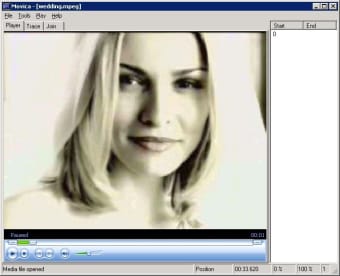
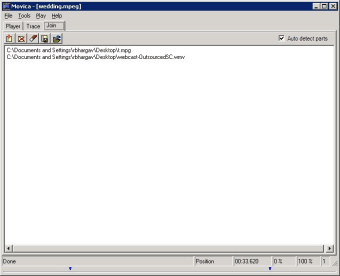
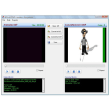
The Movica developers have attempted to make this as simple as possible by creating tons of desktop shortcuts. In a nutshell, Movica allows you to select or delete multiple portions from a video file, copy, paste and fine tune the selections and join them together.

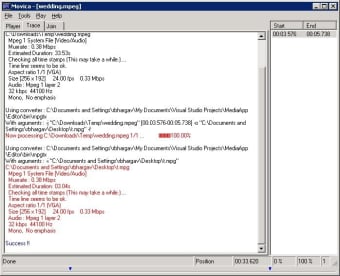
Once the selections are made, you can refine them by using a slider which appears at the bottom. The resulting output image from the converting engine is shown in the 'Trace' window which will also display a simple 'Success' or 'Failure' message. The problem is that sometimes the "Failure" message will appear when the cut has been a success, so check the files first before taking Movica's warnings too seriously.

Movica is a simple, open-source app for basic editing and splitting of less usual formats.

  • Pros

    • Allows you to edit .wmv, .flv .rm and .mpg files
    • Lots of keyboard shortcuts to make editing easy
  • Cons

    • Status messages can be confusing
 0/3

App specs

  • License

    Free

  • Version

    beta-6.6
  • Latest update

  • Platform

    Windows

  • OS

    Windows XP

  • Language

    English

    Available languages

    • Arabic
    • German
    • English
    • Spanish
    • French
    • Italian
    • Japanese
    • Korean
    • Portuguese
  • Downloads

    40.4K

    Last month's downloads

    • 2
  • Size

    1.41 MB

  • Developer

    • Vanibhargav

Program available in other languages


Icon of program: Movica

Movica for PC

  • Free
  • 3
    86
  • 40.4K
  • Vbeta-6.6

User reviews about Movica

Have you tried Movica? Be the first to leave your opinion!

Add review

You may also like

Alternatives to Movica

Explore Apps

Latest articles

Laws concerning the use of this software vary from country to country. We do not encourage or condone the use of this program if it is in violation of these laws.
Softonic

Is Movica safe?

Score result: Clean

This file passed a comprehensive security scan using VirusTotal technology. It is safe to download.

  • Virus free
  • Spyware free
  • Malware free
  • Verified by Security Partners

    VirusTotal logo

Scan Info

Last scan
Wednesday, December 2, 2020
Scan provider
VirusTotal

Softonic security commitment

Movica has been thoroughly scanned by our advanced security systems and verified by industry-leading partners. This file comes from the official developer and has passed all our security checks, showing no signs of viruses, malware, or spyware. For more information, visit our Security and Trust Center